

|
|
|
|
|
|
Note: The following functionality is available only if your PayGlobal serial number includes licensing for Employee Self-Service.
Employees must have an Employee Leave Request Settings record attached to their employee record to enable them to apply for leave in ESS. Leave Request Settings control how ESS handles leave for employees.
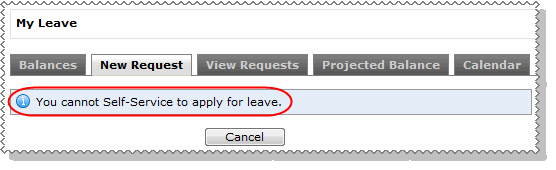
An employee who does not have an Employee Leave Request Settings record will see the "You cannot use self-service to apply for leave" error when they click the New Leave Request tab in ESS.
This section explains how to set up Leave Request Settings records and Leave Approval Settings records, and then attach them to employee records.
My Roster
If your company uses My Roster, then this module also uses the Leave Request Settings records.
ESS displays information in My Roster relative to the leave unit source set up in the employee's Leave request settings record (see Employee - My Roster).
Note: You must ensure that employees know when they can accurately view their roster. Will the information that employees view in My Roster always be accurate or only within a specific time frame?
 |
Topic: 28719


