5. ESS Menu Items
By default, the virtual employee will see all menu items in ESS because they have the "employee" role.
- Your consultant or a user with admin access needs to log on to the Self-Service Administration Site.
- Navigate to User Interface | Menu.
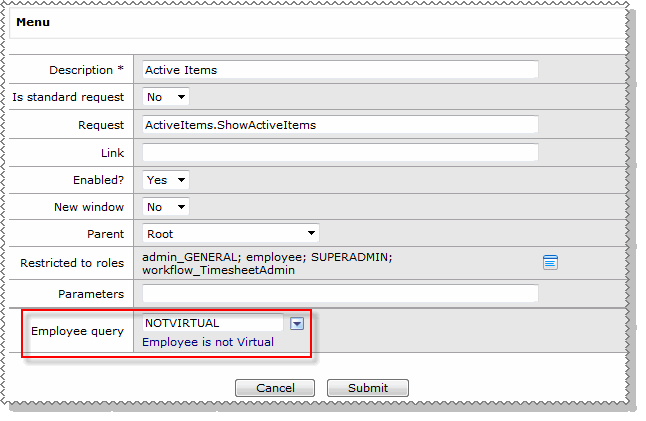
- Open the records for the menu items that you do not want the virtual employee to have access to and select the query that you set up in PayGlobal.
Topic: 38132




