

|
|
|
|
|
|
Use the settings below to set up virtual employees — similar to paying employees. Details such as contact information should be for the company / person who will be connecting to ESS to complete the process.
New Zealand settings
Field |
Value |
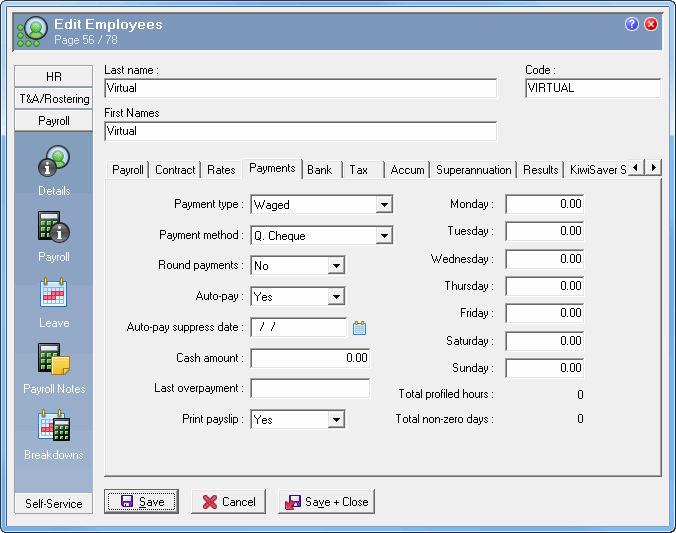
Payment type |
Waged |
Payment method |
Q. Cheque |
Period |
|
Position |
Based on the WAP |
Location |
Based on the WAP |
Department |
Based on the WAP |
Cost Centre |
Based on the WAP |
Employee status |
|
IRD number |
Zeros |
Tax rate |
ND (Not declared) |
Print on EMS |
No |
Leave tables |
Leave blank |
Australian settings
Field |
Value |
Payment type |
Waged |
Payment method |
Q. Cheque |
Period |
|
Position |
Based on the WAP |
Location |
Based on the WAP |
Department |
Based on the WAP |
Cost Centre |
Based on the WAP |
Employee status |
|
Tax File Number |
Zeros |
Tax rate |
4 (No tax file number) |
Date declaration signed |
Cannot be blank |
State |
Cannot be blank |
Post Code |
Cannot be blank |
Leave tables |
Leave blank |
The image below shows an example of an employee record for a virtual employee.
|
|
|
 |
Topic: 38122


