

|
|
|
|
|
|
ESS 4.1.0 Change
A new Approvers field and column is displayed in the Timesheet Admin area, which shows who needs to approve a timesheet. The Approvers column is displayed when the Timesheet Admin clicks the Submitted or All links below the calender. The Approvers field is displayed in the panel at the top of the page when the Timehseet Admin views a timesheet.
Watch the "Timesheet Admin" video. You must be connected to the internet. When you view a video, you can press Ctrl and use your mouse scroll wheel to resize the video. You should be able to see the controls at the bottom of the screen, which allow you to pause or rewind the video. |
|
The Timesheet Admin function allows the assigned employee to:
Use this page to:
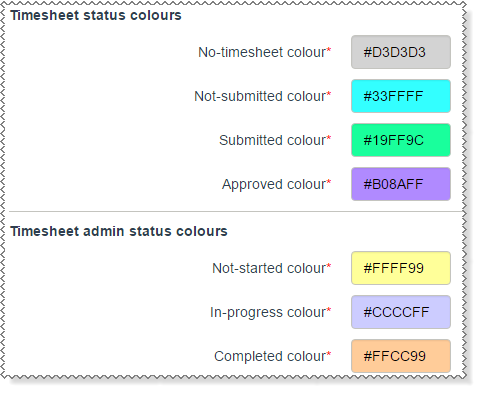
Timesheet admin status colours
The Self-Service Administrator can configure the colours that show the status of timesheets. This manual uses the following colours to show the status of timesheets.
 |
Topic: 38167


