

|
|
|
|
|
|
Use this page to monitor an employee's current performance review or see a historical review.
To select an employee, click in the Employee lookup, and start typing the employee's name or code.
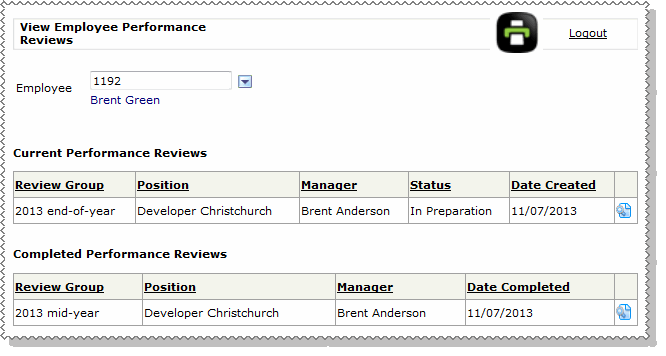
You can now view the employee's current and completed performance reviews, but you can see only what the selected employee’s manager can see.
For example, in the Current Performance Reviews section:
Completed performance reviews move to the completed section.
To monitor multiple employees' performance reviews, you can use the following reports.
 |
Topic: 41541


