

|
|
|
|
|
|
When you click My Roster, the calendar opens on the current month.
If you cannot see the month that you require, then select the month in the combo list or click the blue arrow buttons to move through the calendar.
On the calendar, click the date or dates that you want to view your roster for, such as 13 - 22 April 2009.
You can select any days on the calendar — days you are or are not expected to work, days you have booked leave, and public holidays.
The dates are highlighted in the calendar and your roster appears in a grid below the calendar.
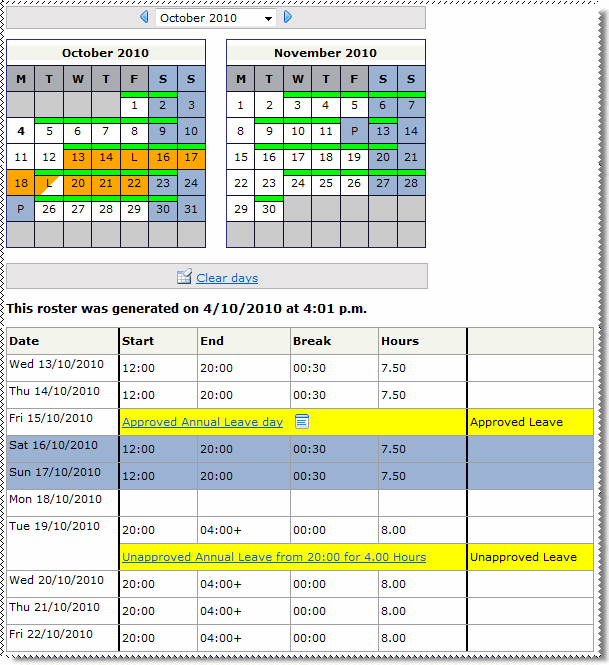
Roster unknown
|
For more information about the colours displayed on your roster, see My Roster Details.
The information displayed and how you use My Roster will vary depending on how PayGlobal has been set up to handle leave for you:
 |
Topic: 33334


