

|
|
|
|
|
|
Note: Projected Balance can be used for annual leave only.
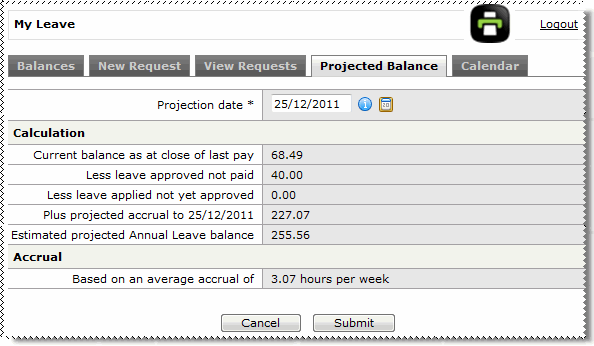
ESS can estimate what your annual leave entitlement will be on a specific date. For example, you can check what your entitlement will be for the Christmas holidays.
Note: You must have been paid at least once before ESS can project your leave.
The My Leave | Balances tab page appears.
ESS displays your projected leave balance for the selected date and an explanation of the balance calculation.
If ESS cannot project your annual leave balance, then a message will advise you.
 |
Topic: 35812


