

|
|
|
|
|
|
Periods records define the pay periods for your organisation, such as weekly and monthly. They contain Period Calendars records that are attached to period-to-date records to define the accumulators for each pay period.
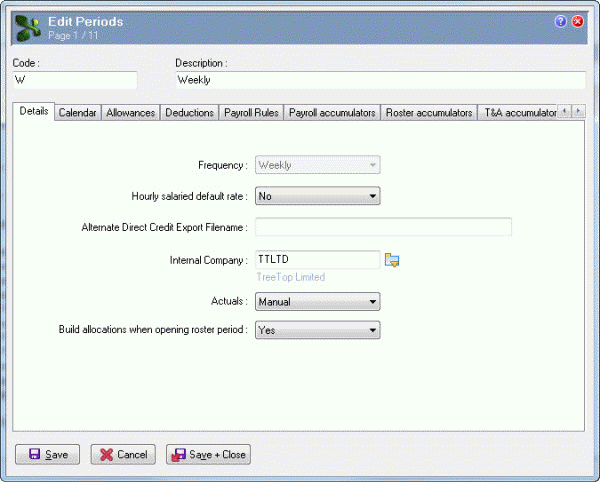
The following table explains the main fields on the Details tab.
Field |
Details |
Frequency |
Disabled in existing records. The frequency of this Period, which can be Weekly, Fortnightly, 4-Weekly, Bi-Monthly (twice a month) or Monthly. |
Alternate Direct Credit Export Filename |
When you run the Direct Credit Schedule, Exolvo sends the banking text file to the Alternate Direct Credit Export Filename specified in the relevant Periods record (such as Weekly). If this field is empty, the report uses the Direct credit file name specified in Company Settings. For more information, see the Primary Reports manual. |
Internal Company |
The internal company associated with this period. |
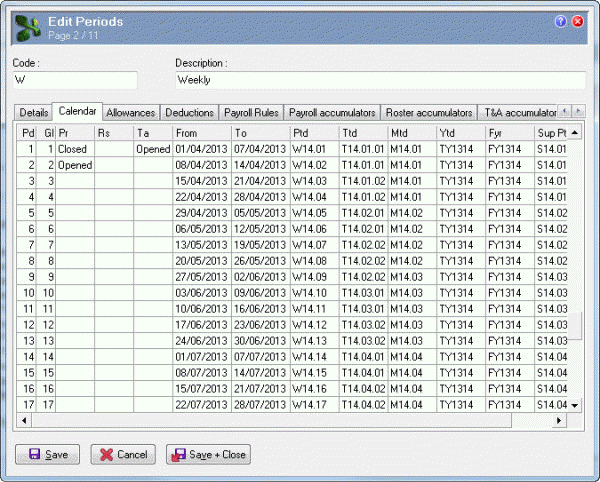
The Calendar tab contains Period Calendar records that specify the pay period date ranges for the year. These records also contain the accumulators for that pay period, which form the basis of reporting and costing.
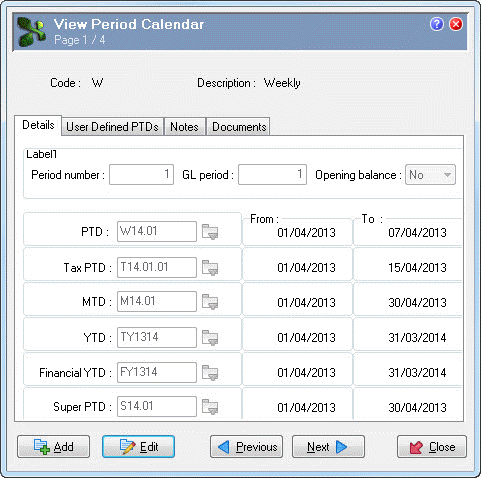
The Details tab contains the accumulators for this pay period, and it displays the date ranges for those accumulators.
This information is set up automatically when you run the Period Calendars Creation Tool.
 |
Topic: 39804


