

|
|
|
|
|
|
Overview
Feedback on your submissions from the MYOB Agency API and the ATO get recorded in PayGlobal as a submission message.
When feedback available for viewing on a particular submission, a Messages button is visible.
Viewing the messages gives you the ability to identify any problems preventing a submission from being successful.
When you click the "Messages" button, the Submission Messages form opens and displays each error for the selected submission record.
Note: This might not be a full set of errors for the submission because the ATO does not return all error messages at once.
Submission in "Successful (with errors)" status have been accepted by the ATO but messages are still available to identify any problems which should be resolved before the next pay event for the pay period is submitted.
See Re-submissions topic for further details about resolving errors prior to re-submission.
The Copy button enables you to copy and paste the content of the message into another product. This is useful if a submission contains a number of errors as it prevents you from having to move back and forth from the Submission Messages form to other areas of PayGlobal.
The Close button closes the Submission Messages form and returns you to the tab from which you clicked the Messages button
Message examples
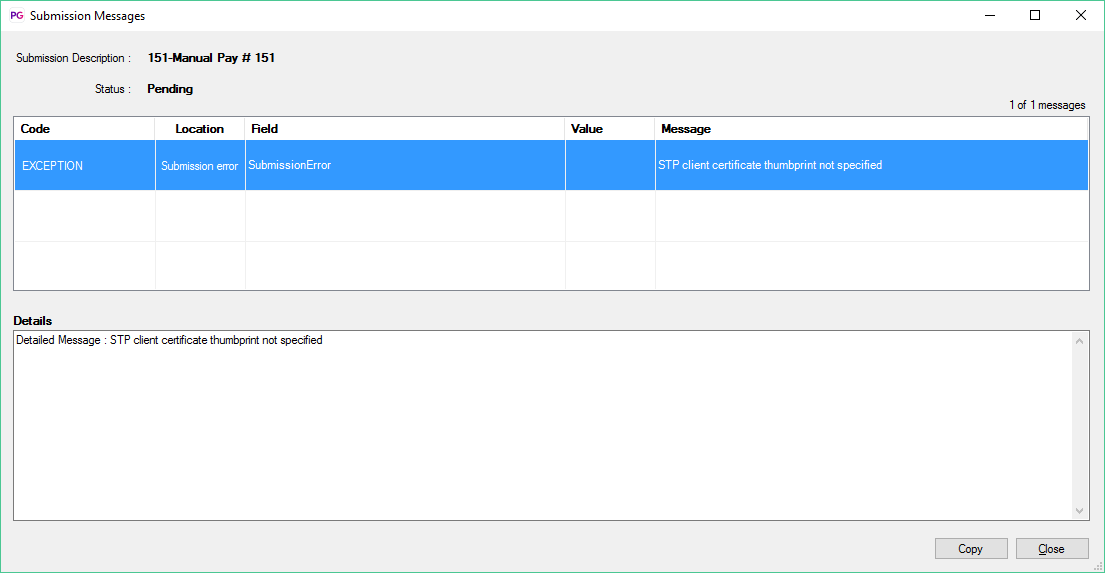
Example 1: Shows an exception error relating to an invalid setup.
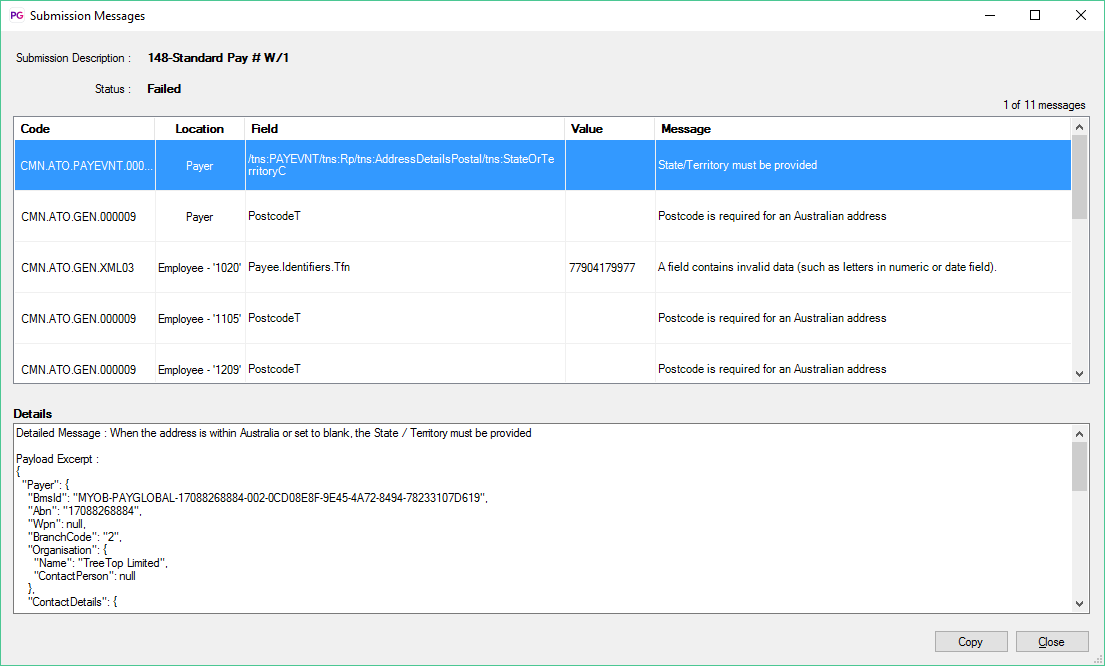
Example 2: Shows a collection data related errors
When you click a row in the errors list. An excerpt from the submission payload where the faulty data is located is displayed in the Details section
 |
Topic: 44477


