

|
|
|
|
|
|
After you approve an employee's course booking or use Course Search (see Employee - Course Search), you can click the View details icon  to view the course details.
When you scroll to the bottom of the form, the Book employee on course button appears when all of the following conditions are true.
If you are not already booked on the course, then the Book me on course button will also appear to allow you to book yourself on the course.
Book employee on course
Use the following procedure to book other employees on the course.
The Book Employee form appears.
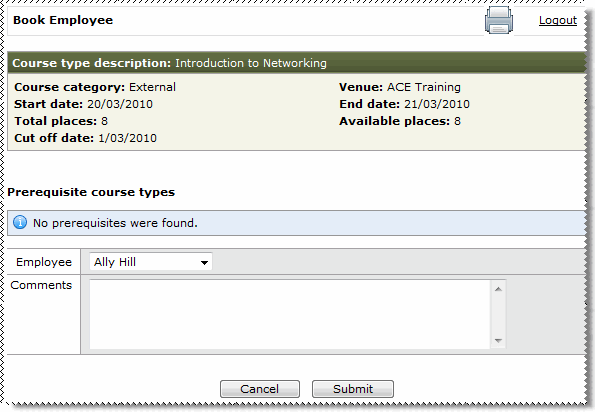
The Employee combo list displays employees who report to you who are not already booked on the course.
When you select an employee, the Prerequisites course types section is updated for the selected employee. If the employee has not completed the prerequisite courses, then the following message appears: The employee has not met all of the prerequisites for doing this course. Please enter any remarks in the comments field.
You can enter information in the Comments field about why the employee has not met all of the prerequisites, such as "Employee is booked on the prerequisite course, but has not yet completed it".
|
|
|
 |
Topic: 29149


