|
|
|
|
|
|
Use the following procedure to add an incident to the incident register.
Important: Mandatory fields are marked with an asterisk (*).
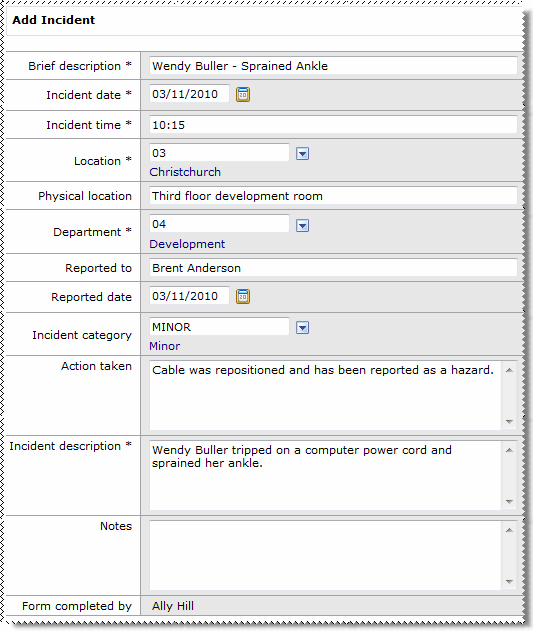
The following table explains the main section of the Add Incident page.
Field |
Details |
|---|---|
Brief description* |
Summary of the incident — limit of 30 characters. |
Incident date* |
Date that the incident occurred. If the incident has no specific date, then enter today’s date. |
Incident time* |
Time that the incident occurred. Enter time in 24-hour format, HH:MM. |
Location* |
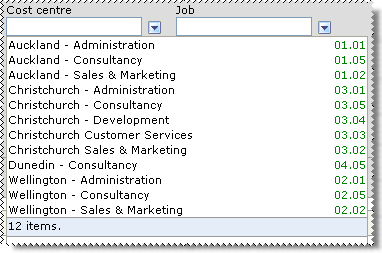
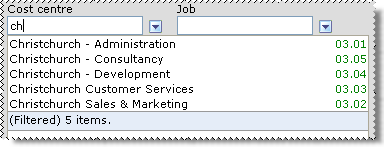
Location of the incident. Start typing the name of the location and then click the required location in the filtered list. Alternatively, click the show options button to select the location from the lookup list. See |
Physical location |
Specific description of where the incident occurred. |
Department* |
Department responsible for the incident. |
Reported to |
Name of the manager that the incident was reported to. By default this is your manager. |
Reported date |
Date that the incident was reported. This date defaults to the current date. |
Incident category |
Select the category of the incident from the lookup list, such as “Serious” or “Minor”. |
Action taken |
The action that was taken to prevent a similar incident. |
Incident description* |
Summary of the incident. |
Notes |
Further information about the incident. |
Form completed by |
Read only. Name of the person who completed the form. |
 link beside each of the following sections to attach the associated record.
Note: You can add multiple records for each section.
 |
Topic: 33922


 Lookup Functionality