

|
|
|
|
|
|
Helen Lewis has Timesheet Settings = "2. Timebands by timesheet".
Helen submits the following timesheet:
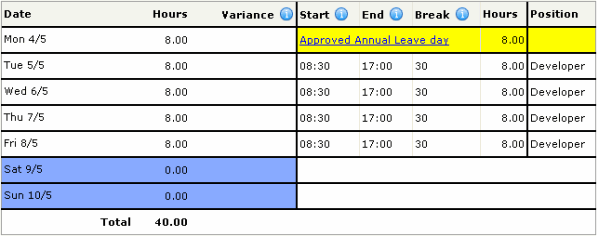
When the Timesheet Admin (or Self-Service Scheduler) finalises approved timesheets, the CSV file (shown below) is written to the Timeband output directory.
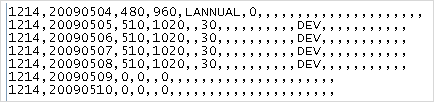
You will import this file into Daily View and then export to Transaction View using the following processes:
After you Import Actual Timebands, Helen's timebands appear in Daily View. Helen's leave request is also displayed with the reason code attached to the leave allowance.
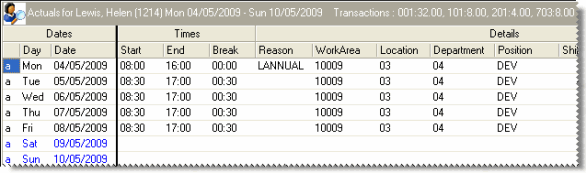
The Export Actuals to Payroll command creates a file with the name that you specified for the Export file name on the Export to Payroll tab.
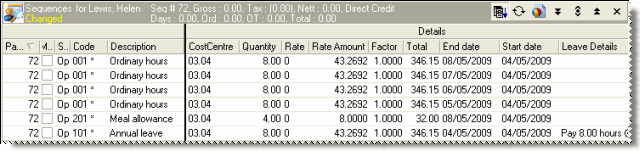
Import Pay created transactions in the pay sequence for Helen’s timesheets and annual leave. You can now process them as normal transactions.
|
|
|
 |
Topic: 26377


